
No account
Open Clarity and begin. There is no profile to build and no advertising identity following you.
The space between
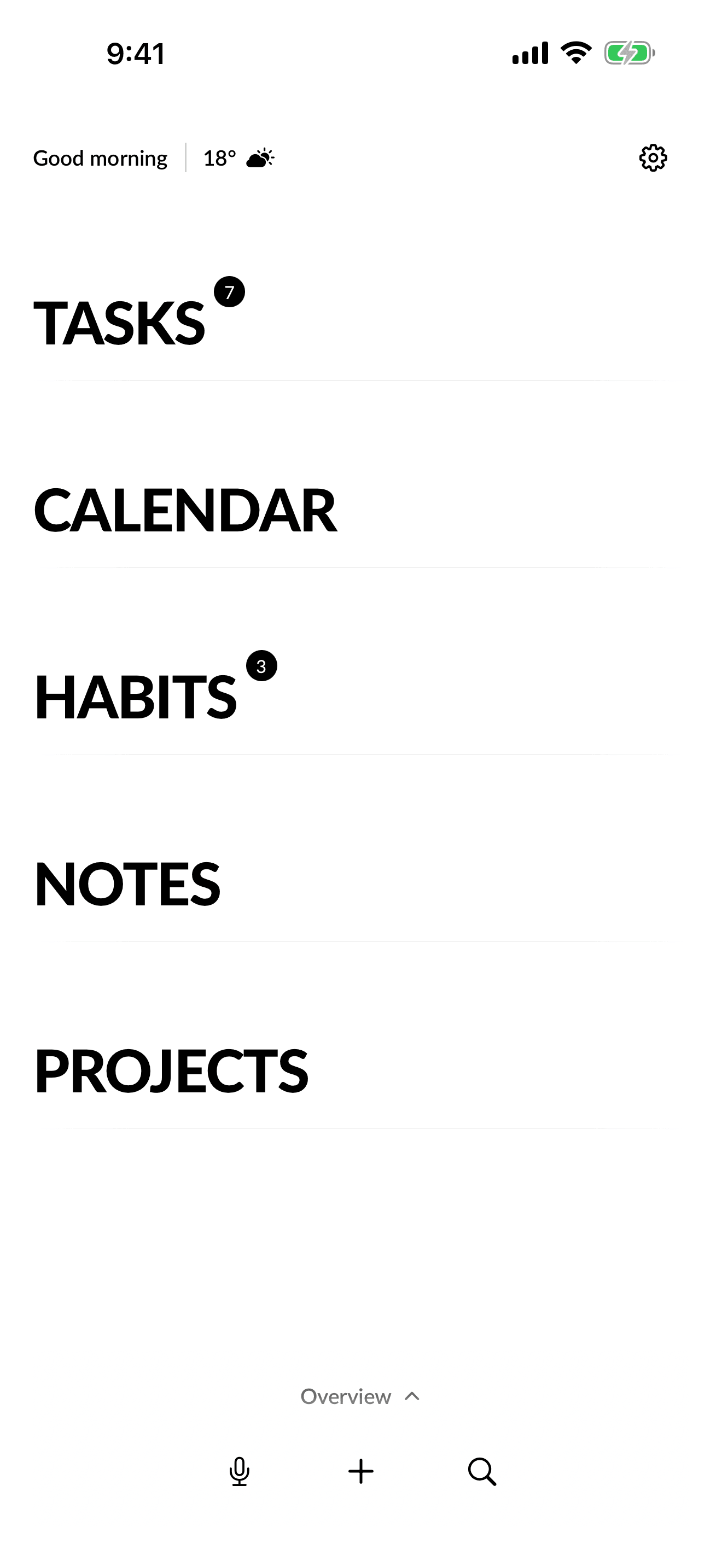
One quiet place
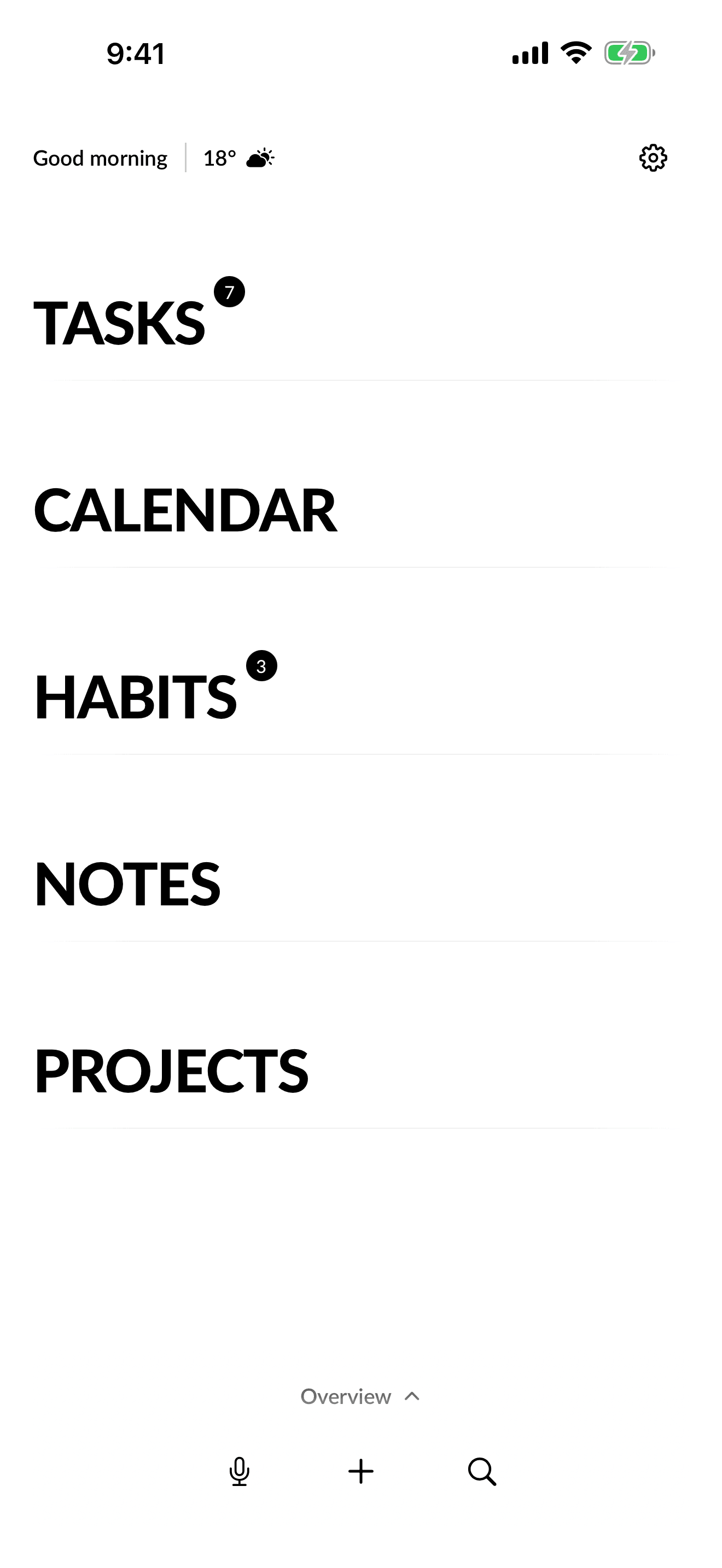
Everything, one surface. Each part has enough room to make sense, and nothing fights for your attention.
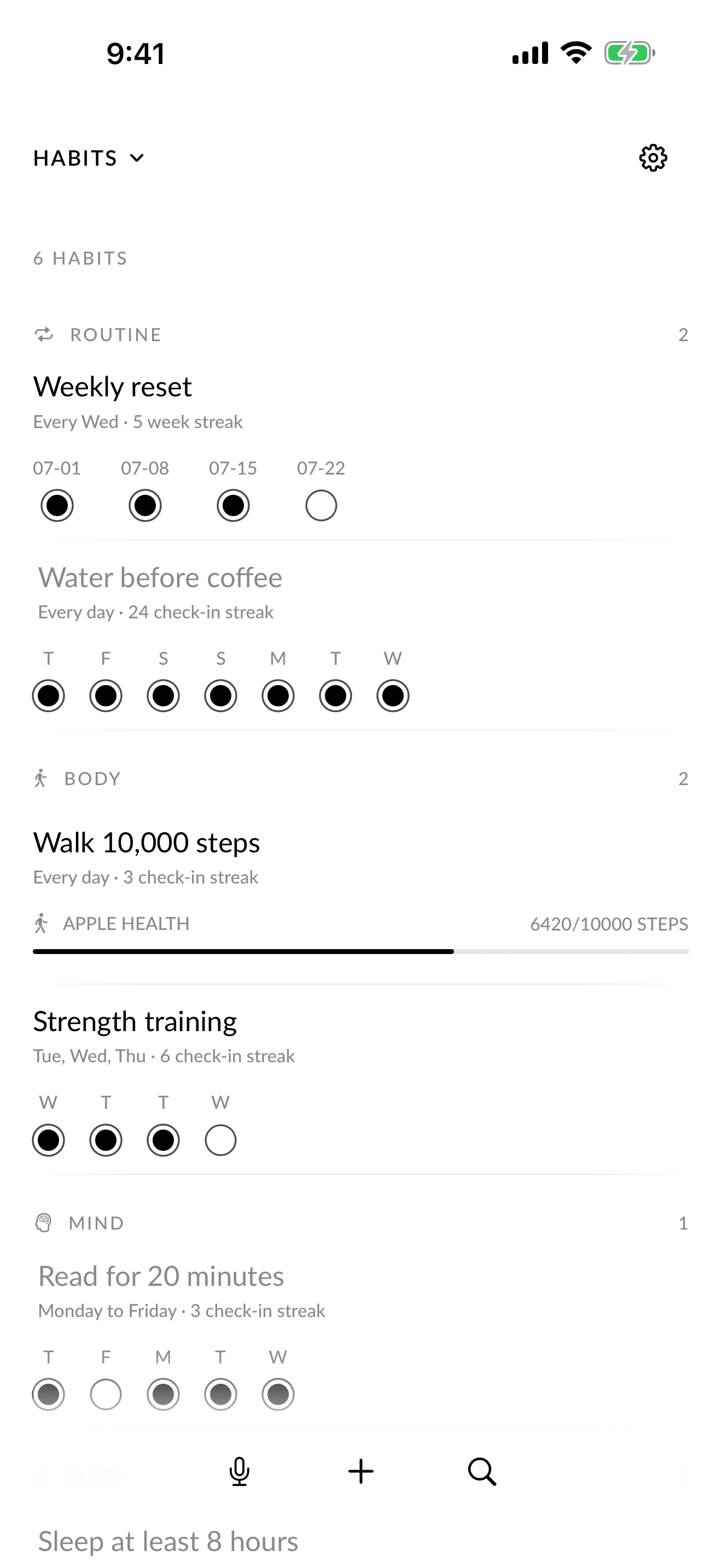
From thought to done
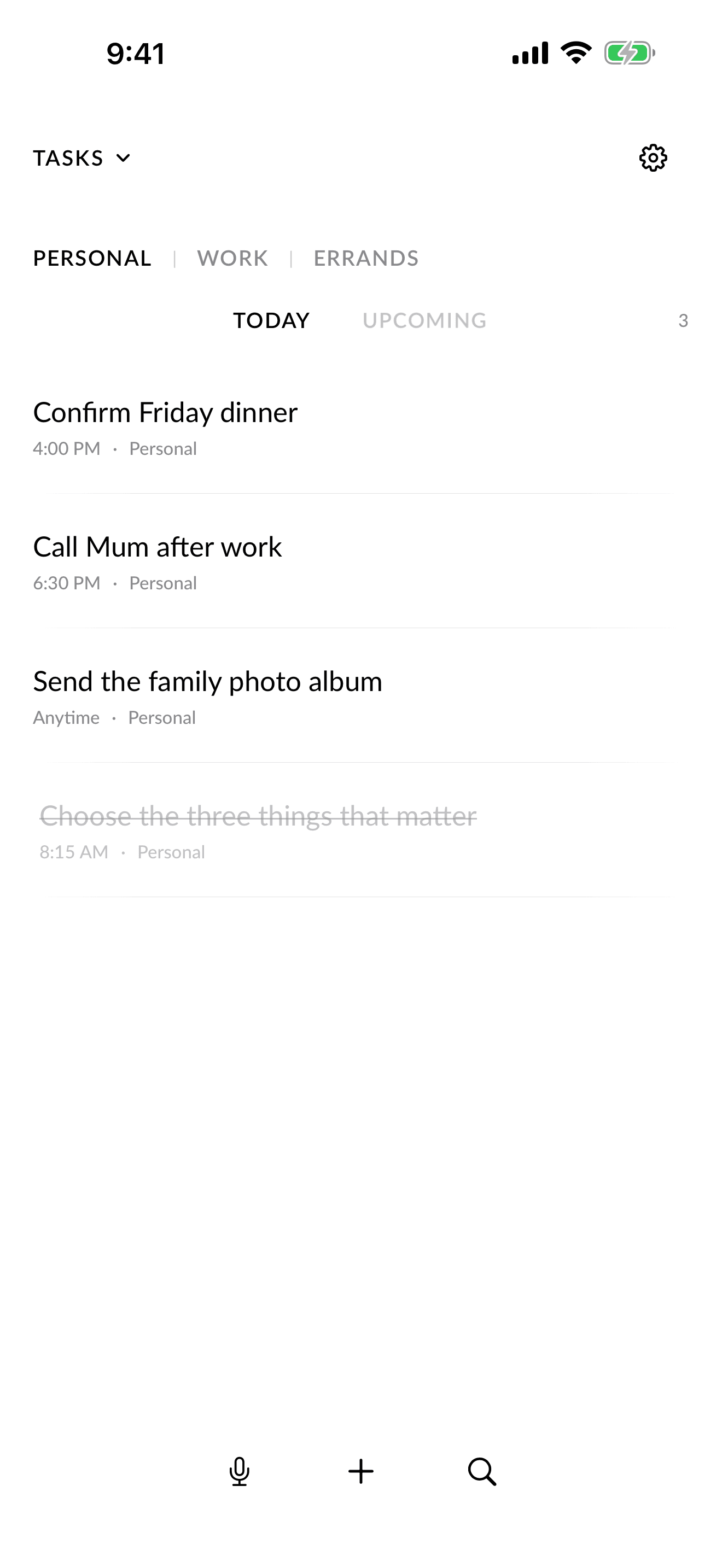
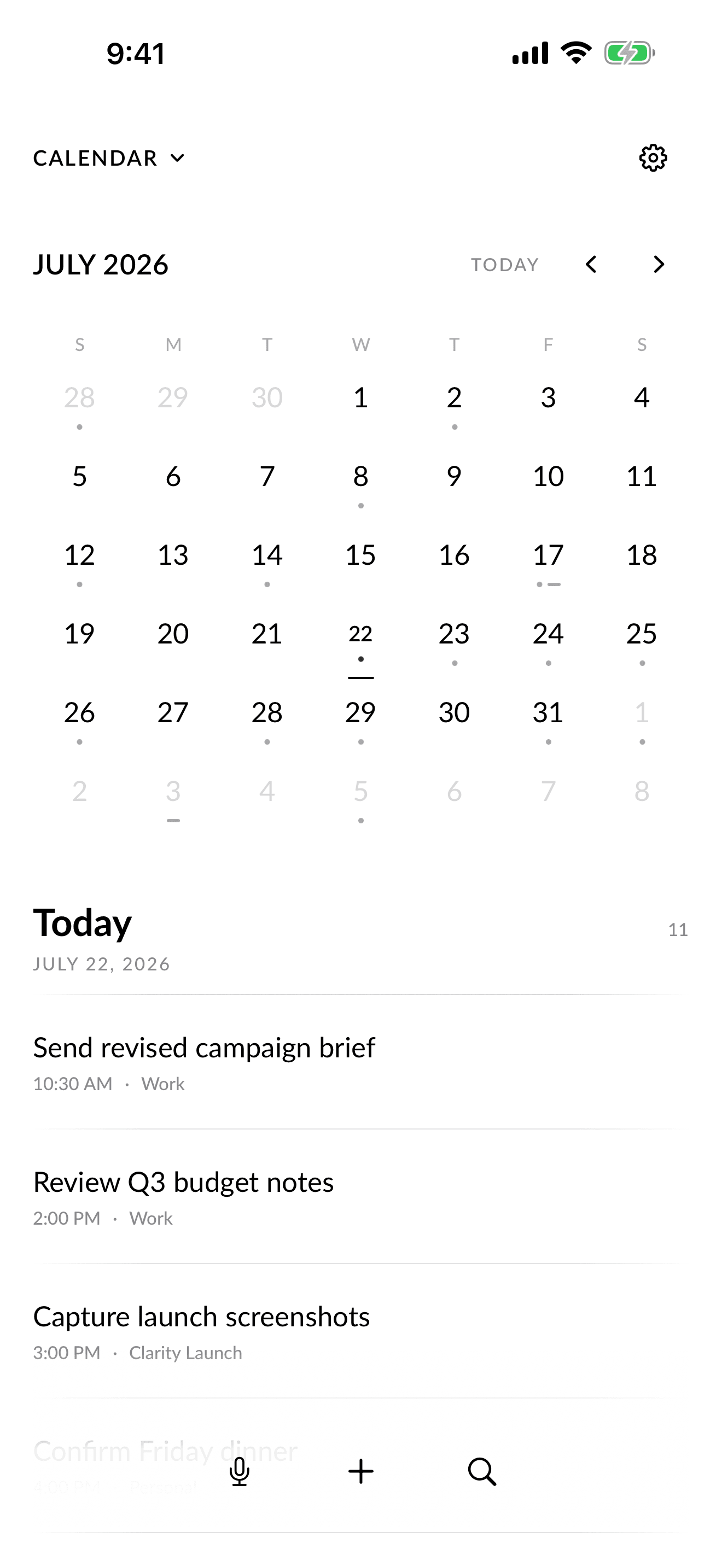
A task, thought, date, or habit lands in the right place without a setup ritual.
Today stays focused. Upcoming work waits quietly until it belongs in view.
Notes, tasks, calendars, habits, and projects move together without becoming one crowded list.
Clarity holds the details, then gets out of the way.

Designed for calm
Open Clarity, make sense of what matters, then leave the rest with us.
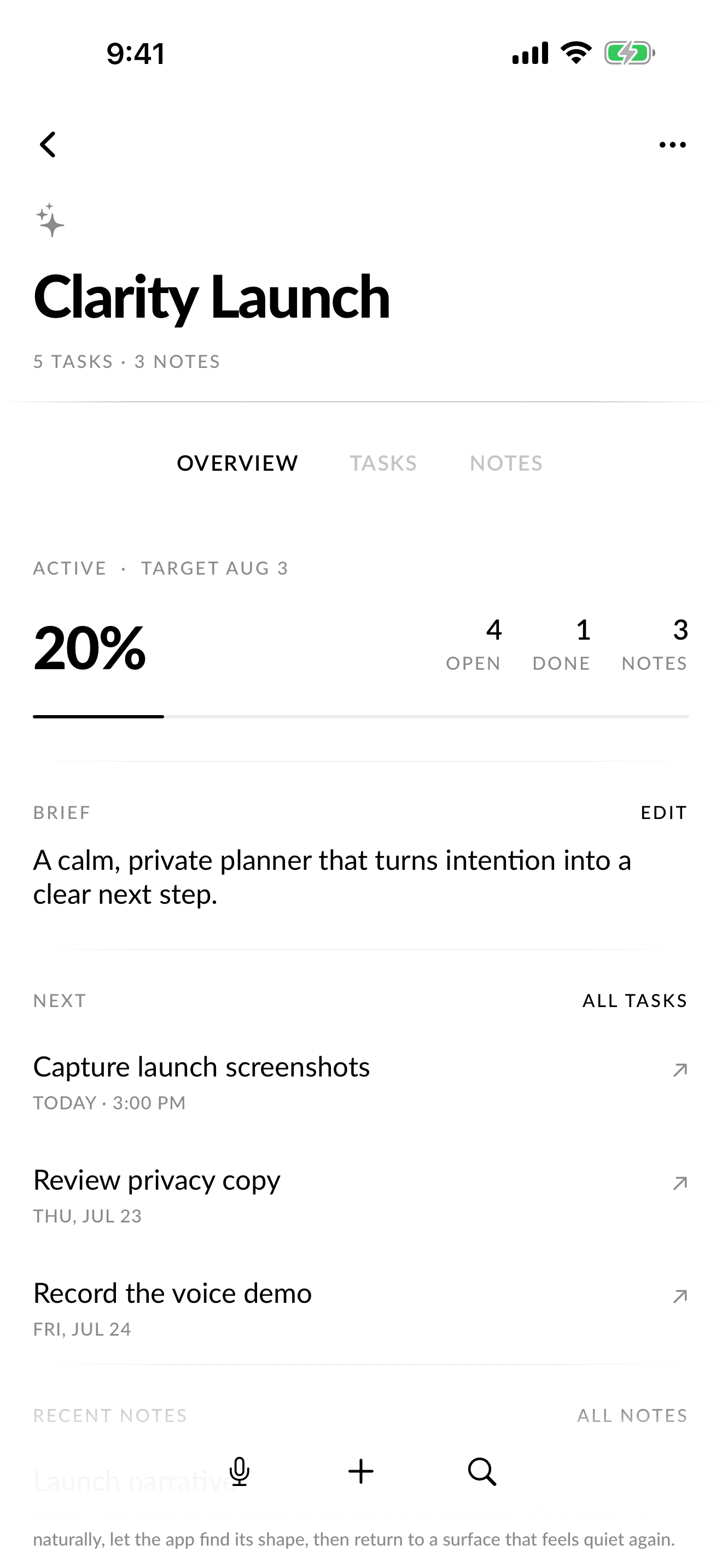
Projects become workspaces
A project can hold its brief, target, tasks, notes, progress, and next actions without turning your personal day into a dashboard.
A calm private planner that turns intention into a clear next step.
Capture, understand, organize, then disappear.
Clarity Pro
Say what you need once. Clarity listens, transcribes, understands, and creates the right task, note, habit, project, or reminder.
On supported Apple Intelligence iPhones, the full voice request can stay on device. A disclosed Groq fallback is available when a local stage is not.
Private by design
Your plans should help shape your life, not become somebody else's data.
Open Clarity and begin. There is no profile to build and no advertising identity following you.
Your everyday library lives in the app on your iPhone.
On supported Apple Intelligence iPhones, speech and understanding can stay fully on your device.
If an on-device stage is unavailable, Clarity uses Groq only when you choose a voice feature.
Simple from the start
A calm place to begin, with just enough room for everyday planning.
More depth when you need it, without changing the quiet character of Clarity.
Choose monthly or annual. Your plan renews automatically until cancelled in Apple Account settings.

Good to know
No. Clarity is designed to work without an account, so you can begin planning immediately.
Tasks, habits, notes, projects, reminders, calendar plans, and private Family spaces all have a place without being flattened into one feed.
Supported Apple Intelligence iPhones can transcribe and interpret on device. When a local stage is unavailable, Clarity clearly uses its Groq fallback only for the voice feature you started.
Yes. Clarity Free includes the everyday planning canvas. Clarity Pro adds unlimited planning, ongoing voice intelligence, private Family spaces, custom recurrence, calendar sync, widgets, and future Pro improvements.
Clarity for iPhone
No account required. Start free.